

Overview
This process is necessary if you’re currently using another provider, since Meta only allows a single provider to be active for a given number at a time.Requirements
- Business Portfolio (BM): you need to have a business portfolio set up with the WhatsApp number already linked
- Number with another provider: the number needs to be connected with another provider
Step by step
Step 1 - Disconnect the number from the provider
- You’ll need to log in to the other provider and disconnect your number
Step 2 - Access your Meta account
- Go to: business.facebook.com
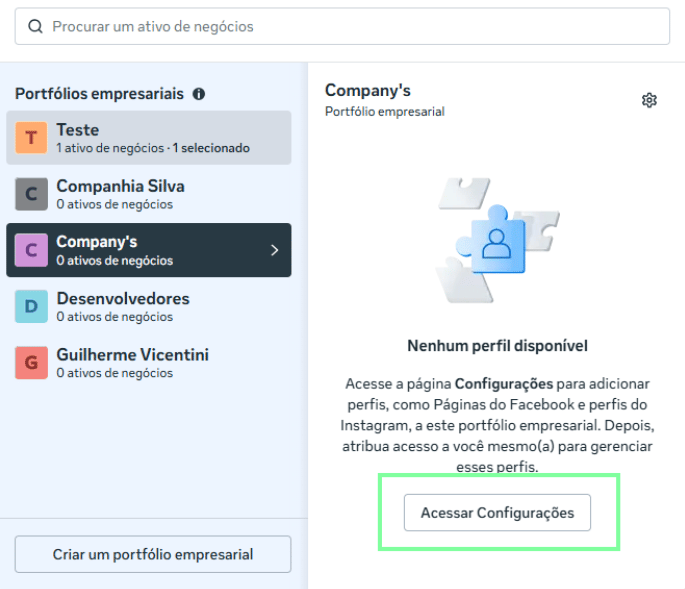
Step 3 - Access the Portfolio settings
- Click the relevant Business Portfolio (BM)
- Click to access the BM’s settings
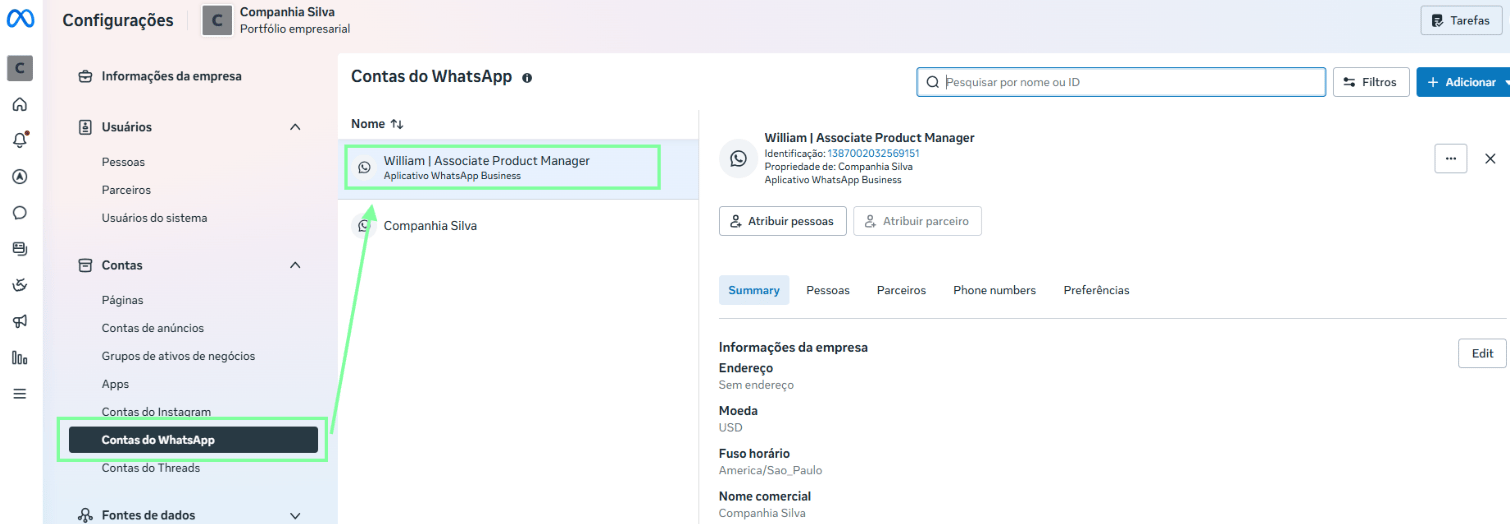
Step 4 - Select the WhatsApp account
- Click WhatsApp Accounts
- Click the relevant account you want to remove the old provider from
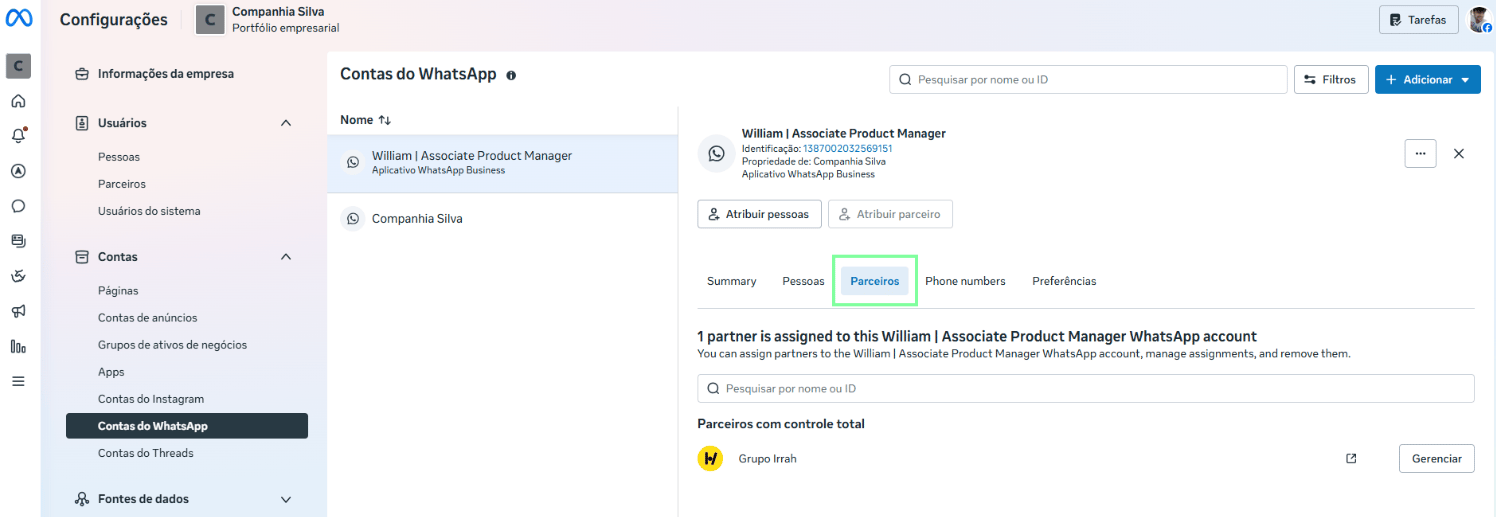
Step 5 - Look for the “Partners” option
- After clicking the relevant account, click Partners
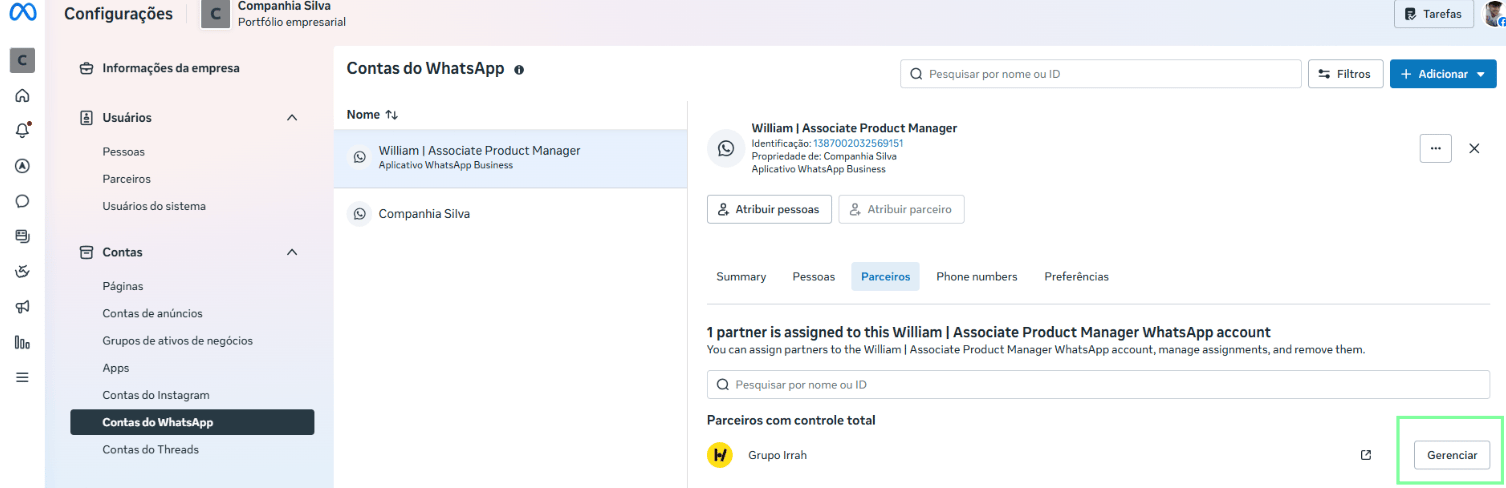
Step 6 - Remove the partner’s access
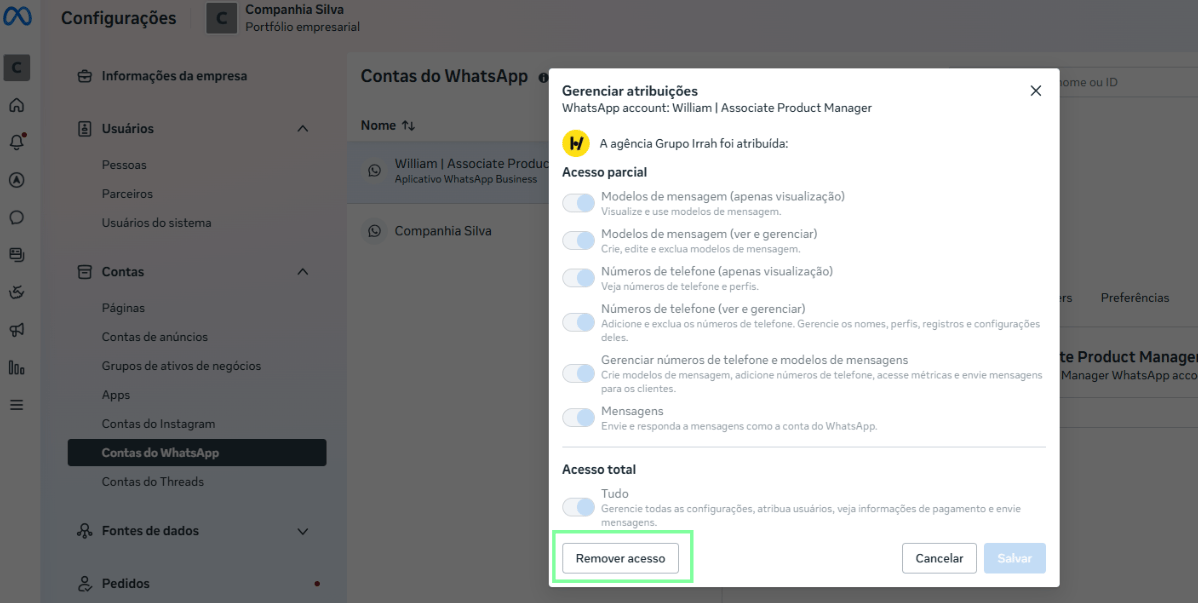
- Next to the provider you want to remove, click Manage
- After that, a modal will open. Click Remove Access
Step 7 - Connection in Omni Z-API
After removing the old provider’s access, you’ll now be able to connect through Omni Z-API.Make sure the number has been properly disconnected from the previous provider before starting the connection in Omni Z-API, to avoid conflicts during the process.