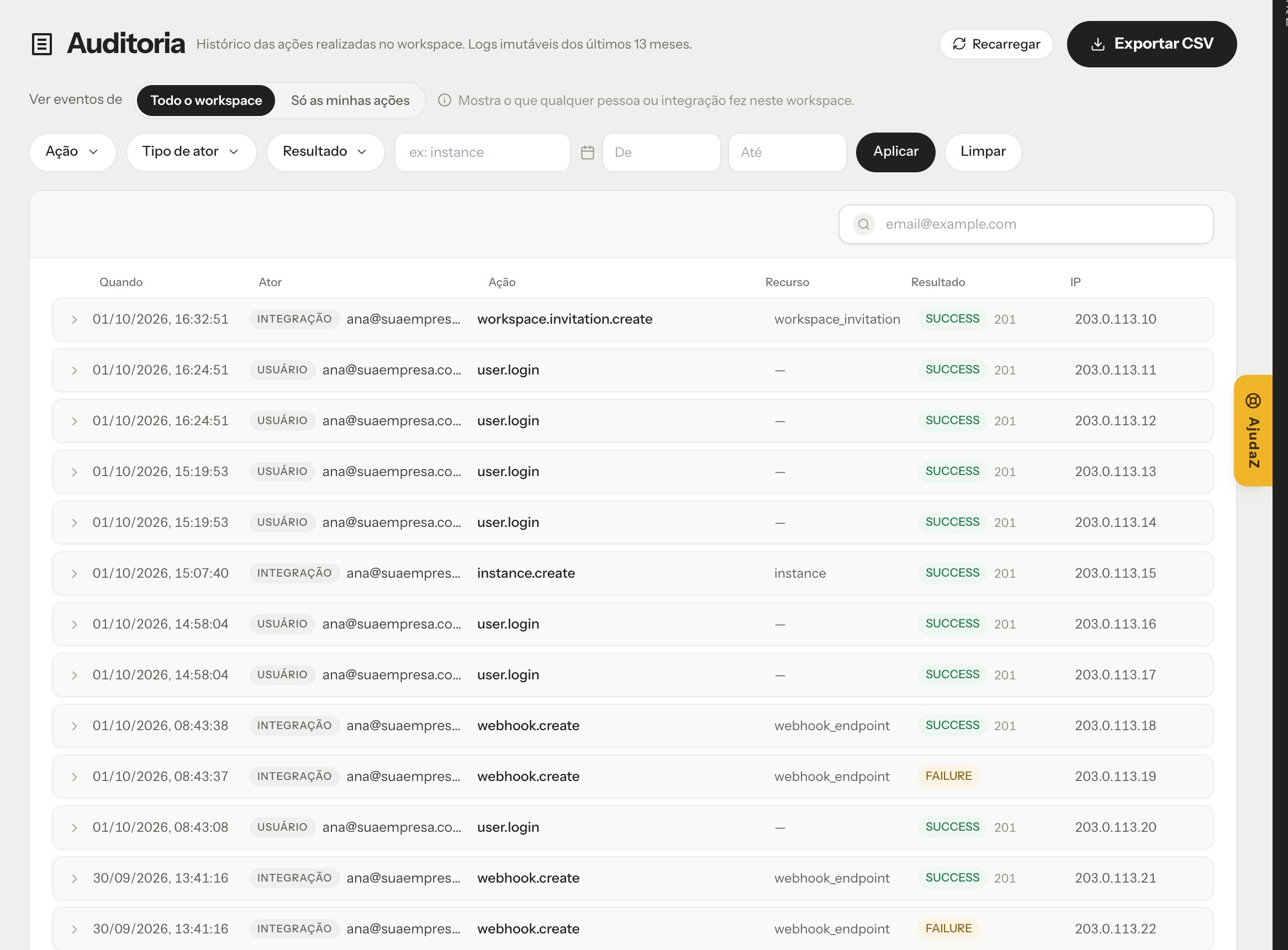
The Audit log records the actions performed in the workspace: who did it, what, when, from which IP and whether it worked. Use it to answer questions such as “who generated a new Secret Key?” or “who deleted this channel?”. The screen is in Administration → Audit log and is available to the Owner and the Manager (see Team and roles).
Audit log screen in the Omni Z-API dashboard

What is recorded

  • Who did it (actor):
    • User: a team member, through the dashboard.
    • Integration: an API call with your credentials.
    • System: an automatic action of the platform.
  • Action, resource, date and time, and source IP.
  • Outcome: SUCCESS, FAILURE or DENIED (when permission was missing), with the HTTP status code of the response.
Records are immutable: they cannot be changed or deleted.

Choose the scope

In Show events from:
  • The whole workspace: what any person or integration did in this workspace.
  • Only my actions: only what you did, in any workspace you belong to.

Filter

Filter by Action, Actor type, Outcome, Actor login, Resource type and period (From and To). Click Apply to filter and Clear to go back to the full list. Click an event to open the Event detail.

Export

Click Export CSV to download the events shown on the current page of the list, with the filters applied. To export more events, go through the pages and export each one.