> ## Documentation Index
> Fetch the complete documentation index at: https://developer.omni.z-api.io/llms.txt
> Use this file to discover all available pages before exploring further.
# SDK authorized domains
> Define which websites can use the channel connection SDK
export const npmUrl = 'https://www.npmjs.com/package/@omnizapi/connect';
export const npmPackage = '@omnizapi/connect';
export const projectName = 'Omni Z-API';
The [channel connection SDK](/en/channels/connect-channel) ([`@omnizapi/connect`](https://www.npmjs.com/package/@omnizapi/connect)) opens the connection flow inside your system using the Public Key. To prevent it from being used on third-party websites, {projectName} only opens the SDK on the domains you authorize.
## Register the domains
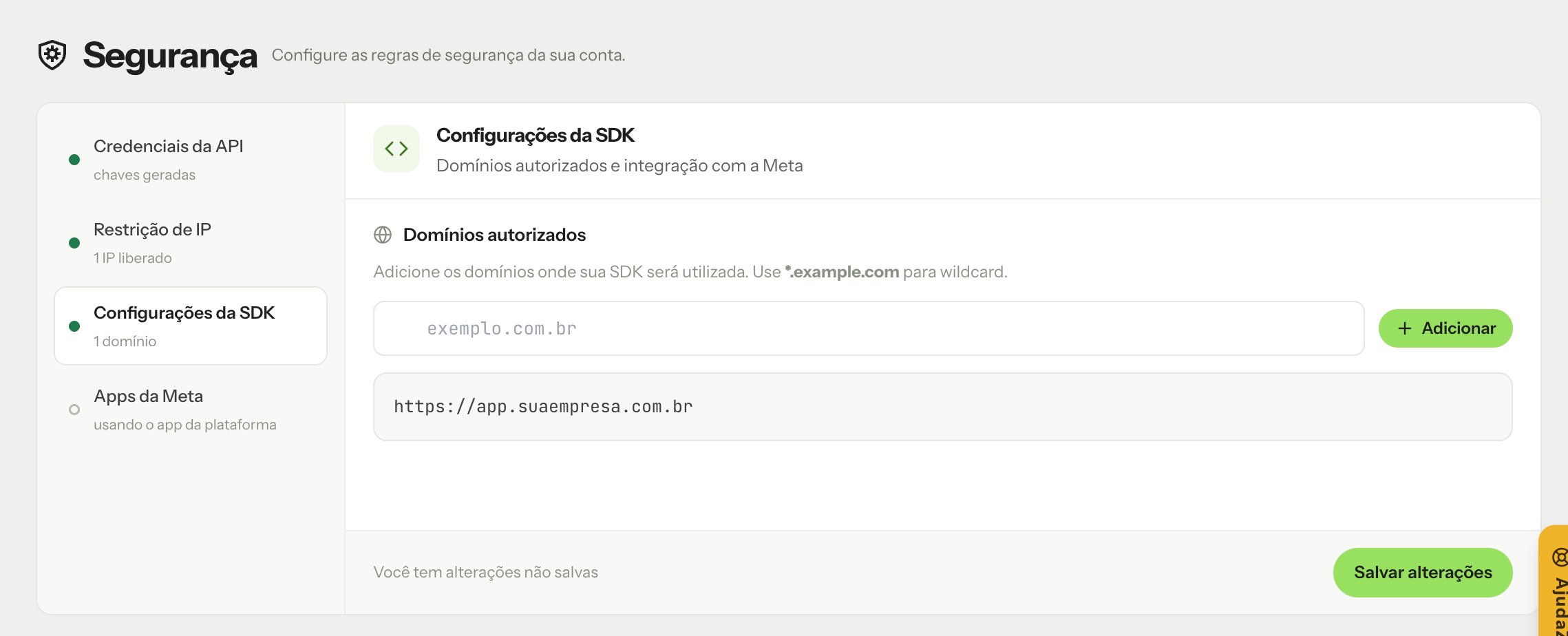
1. In the dashboard, open [Security](https://app.omni.z-api.io/app/security).
2. Open the **SDK Configuration** tab and, in **Authorized domains**, enter the domain where the SDK will run (for example, `app.yourcompany.com`).
3. Click **Add** and repeat for each domain.
4. Click **Save changes**.
 ## Rules
* Register the **exact origin** of each site, including the scheme, for example `https://app.yourcompany.com`. Wildcards (`*.domain.com`) and domains without `https://` are not supported: each origin must be registered exactly as is.
* The {projectName} dashboard can always open the SDK, even if it is not in the list.
* Also register your staging or test domains if you use the SDK there.
The Public Key can stay in the frontend because it only allows connecting channels. Even so, register the domains: that is what prevents another website from using your Public Key.
This documentation is built and hosted on [Mintlify](https://mintlify.com), a developer documentation platform.
## Rules
* Register the **exact origin** of each site, including the scheme, for example `https://app.yourcompany.com`. Wildcards (`*.domain.com`) and domains without `https://` are not supported: each origin must be registered exactly as is.
* The {projectName} dashboard can always open the SDK, even if it is not in the list.
* Also register your staging or test domains if you use the SDK there.
The Public Key can stay in the frontend because it only allows connecting channels. Even so, register the domains: that is what prevents another website from using your Public Key.
This documentation is built and hosted on [Mintlify](https://mintlify.com), a developer documentation platform.